Mac OCR workbench
Local OCR and document analysis for Mac.
CoreParse extracts text, tables, and formulas from PDFs and images on your Mac. No document upload, no cloud workspace, no subscription.
10 free analysis pages each month. One-time purchase for full access.
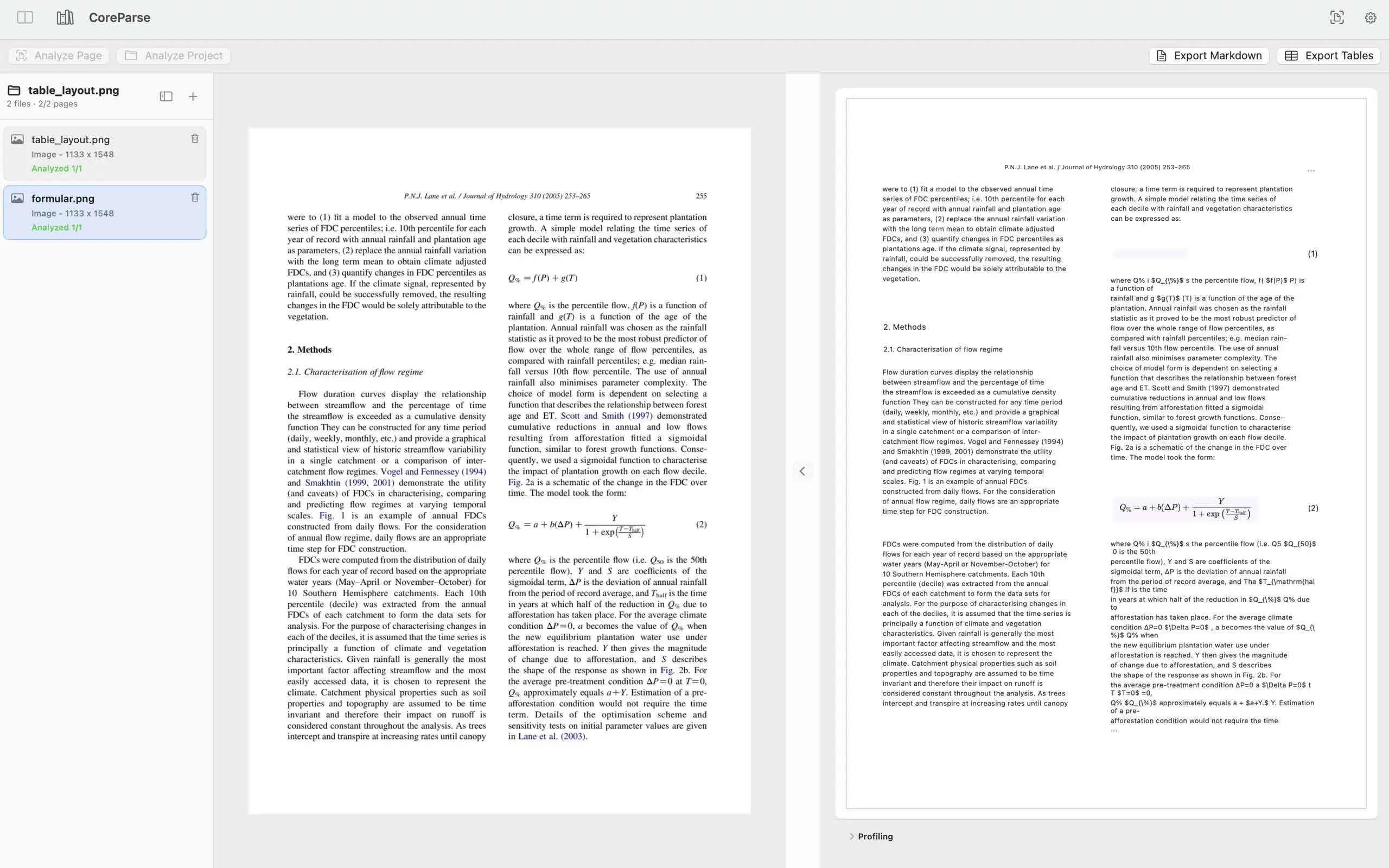
Built for documents where layout matters.
Research papers, reports, scans, screenshots, invoices, tables, and technical pages stay inspectable before export.
For PDFs, scans, and technical documents that should stay local.
CoreParse is made for researchers, students, analysts, and Mac users who need OCR for scanned PDFs, table extraction for spreadsheet workflows, formula recognition for academic pages, and Markdown exports for notes or downstream editing.
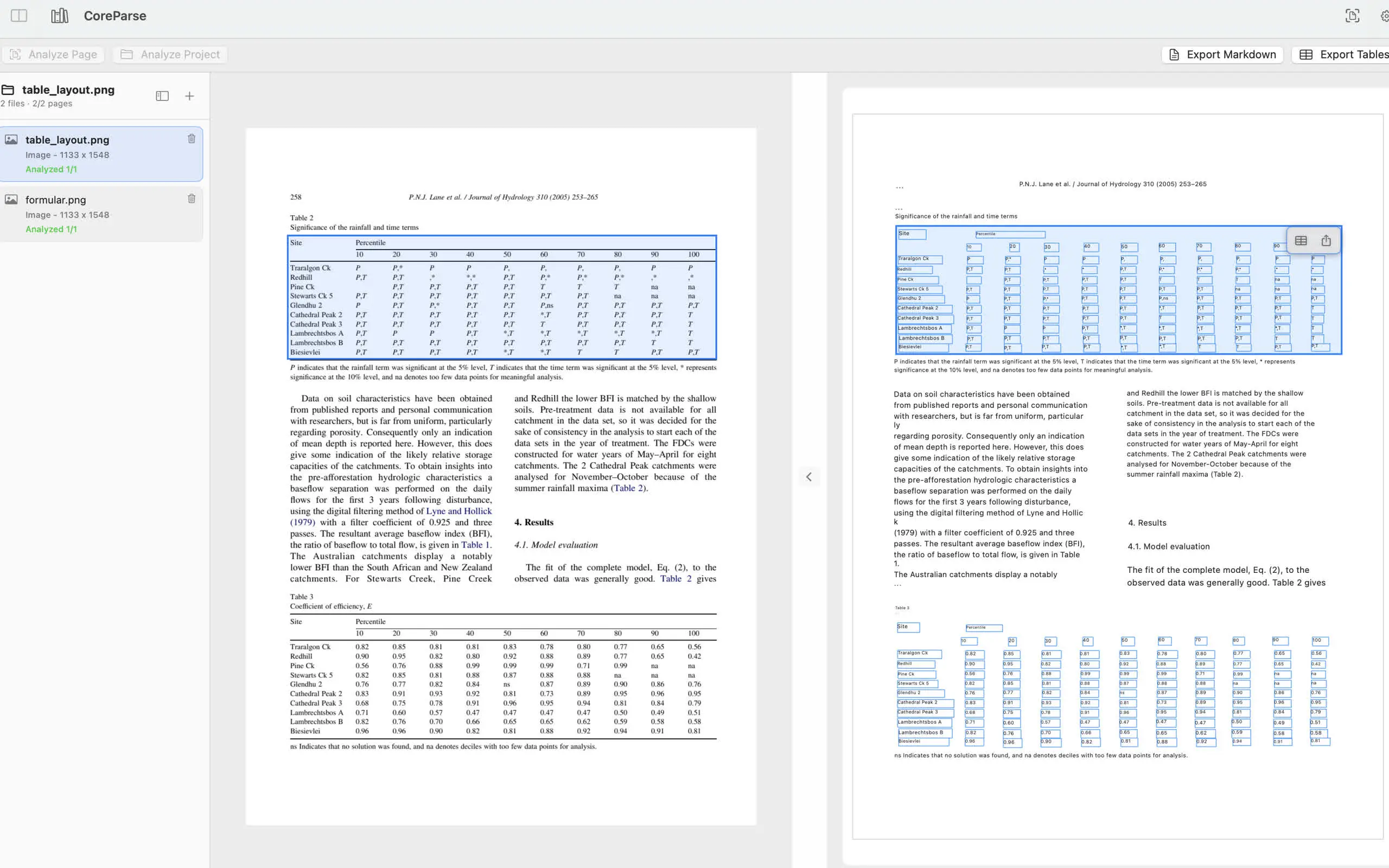
Turn dense tables into reusable structure.
Inspect detected cells visually, then export the table you need without sending the source document anywhere.
- Wired and wireless table recognition for common document layouts.
- Single table export for quick spreadsheet workflows.
- Project batch export available with full access.
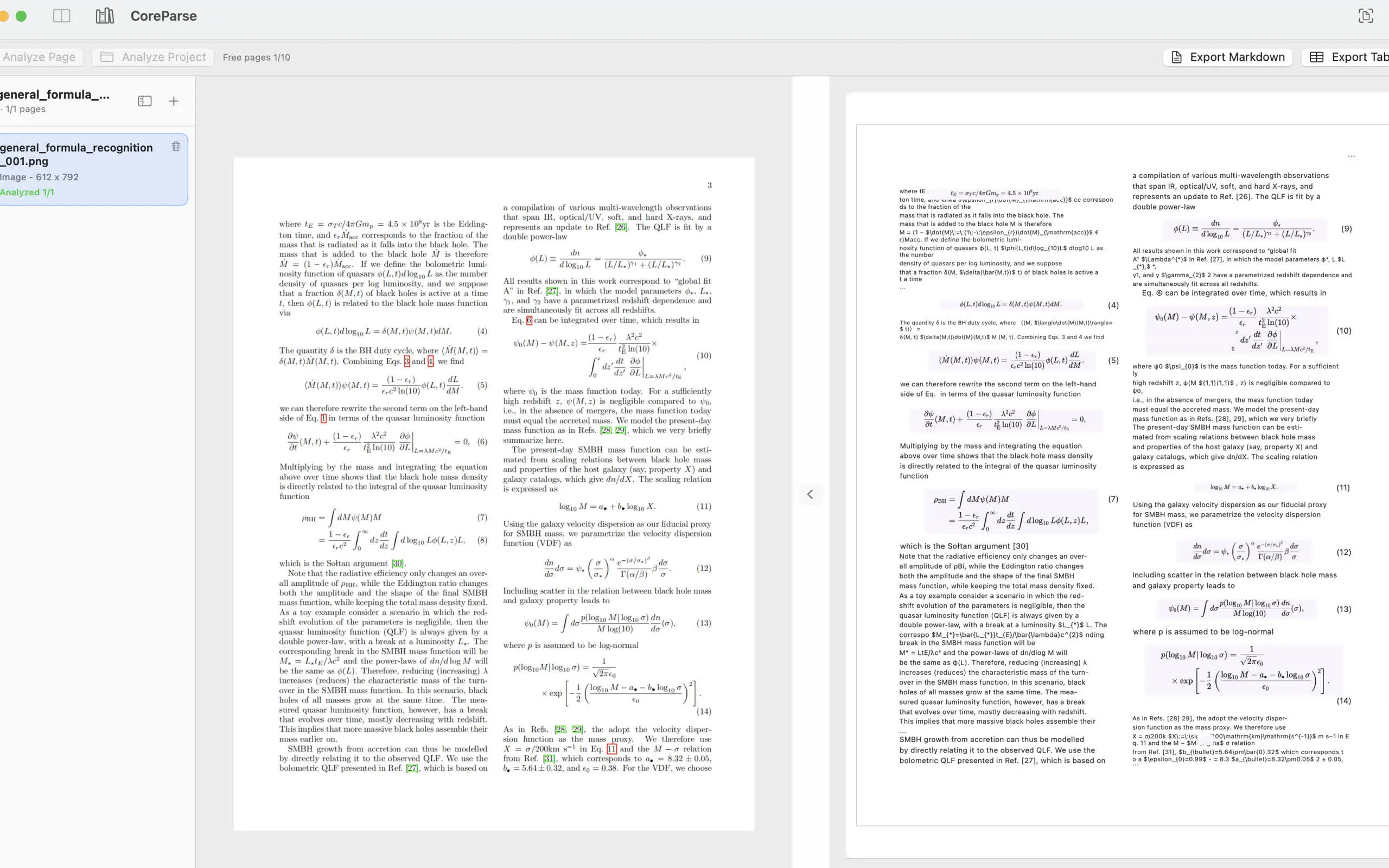
Keep formulas visible in the workflow.
Formula recognition is optional, so everyday OCR stays lean while technical documents can preserve mathematical content when needed.
- Enable formula analysis only for documents that need it.
- Review page results next to the original image.
- Export Markdown for notes, research, and downstream editing.
A local library for documents you keep coming back to.
Import files, analyze pages, review results, and export only what you need. Documents and OCR results stay on this Mac.
-
01
Open a PDF or image
Work with local files and scans without setting up a cloud workspace.
-
02
Analyze on-device
Run OCR, layout, tables, and optional formulas using downloaded local models.
-
03
Export results
Export Markdown or individual tables for documents, notes, and spreadsheets.
Start with 10 free pages every month.
Full access is a one-time purchase. No subscription. Unlock analysis beyond the monthly free pages and project batch export.
Download on the App Store